
Synchronous API
Request a response during the task when the target can answer promptly. Define timeouts and ambiguous outcomes before retrying.
Enterprise Integration
Turn RFID reads, barcode scans, ANPR events and mobile workflows into validated enterprise transactions.
CoEnablers provides the integration layer between devices on the ground and the systems that remain the business source of truth.
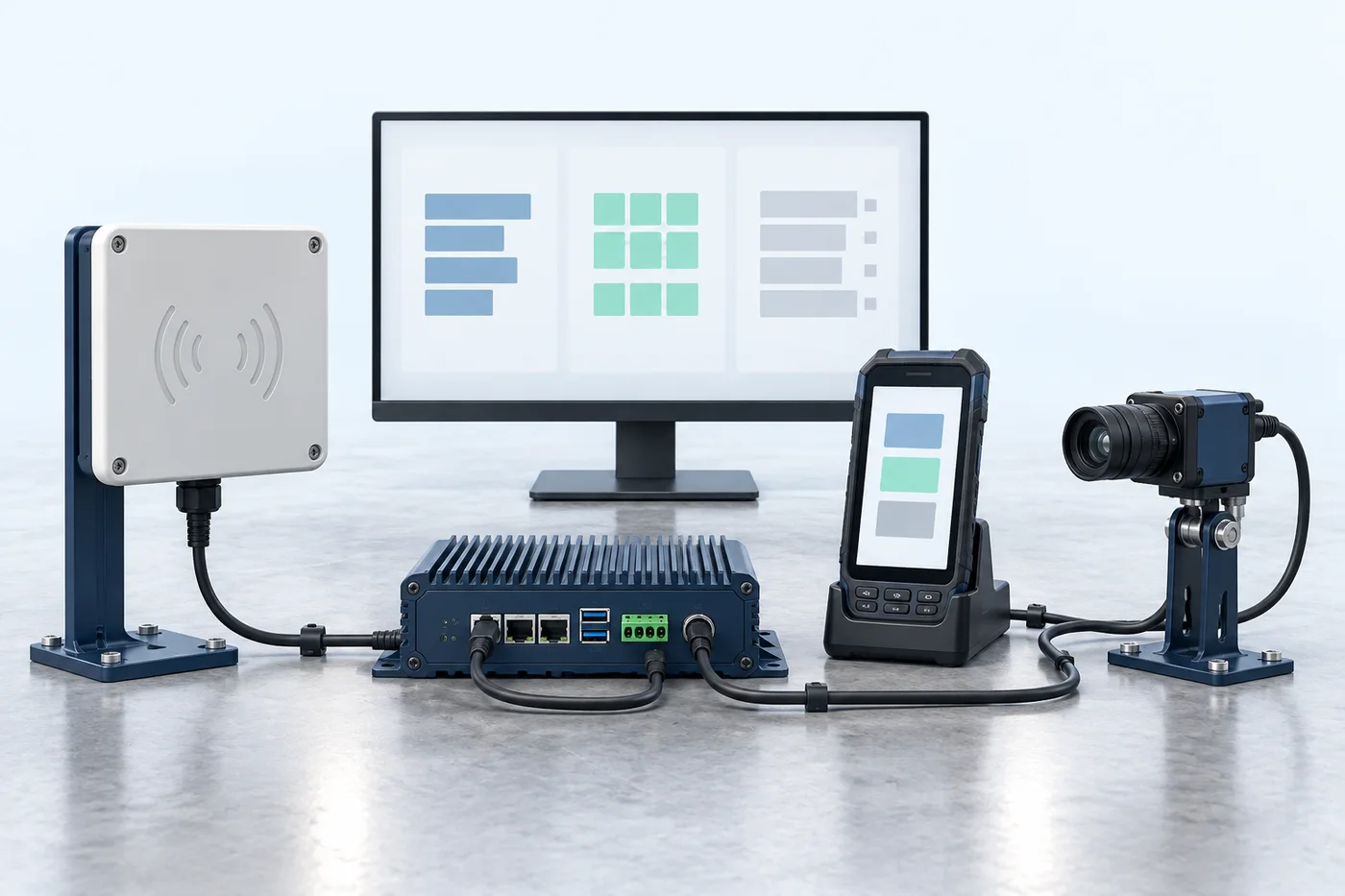
Physical event → controlled transaction
Conceptual flow
Readers • scanners • handhelds • cameras
Adapters • validation • business rules
Authoritative records • posting results
You may already run SAP, Oracle, a custom ERP, WMS, MES, TMS or asset system. The requirement is often to make physical events available to those systems without replacing their master data, inventory rules or approvals. CoEnablers can sit between the devices and the enterprise applications to prepare and track the required transactions.
Start with the business event, not a device protocol: what should a pallet passing a gate mean, who owns that decision and what confirmation is needed? Map the observation to a known identity and workflow, then use an approved enterprise interface. The application should distinguish captured, validated, queued, accepted and rejected states.
Illustrative transaction paths. Each transition depends on the agreed interfaces, validation rules and posting authority.
No single pattern fits every event. Select from interfaces the customer can support and the process can safely reconcile.
Technologies
Request a response during the task when the target can answer promptly. Define timeouts and ambiguous outcomes before retrying.
Separate capture from posting through a durable message path where appropriate. Define ordering, acknowledgements and failed-message handling.
Receive or deliver event notifications through supported callbacks, with authentication and duplicate-delivery handling.
Exchange suitable reference or batch data at an agreed interval. Make freshness visible where it affects operational decisions.
Use customer-approved views, staging tables or supported interfaces. Avoid bypassing enterprise business logic through uncontrolled direct writes.
Agree schema, delivery completeness, acknowledgement and reprocessing rules for systems with file-based interfaces.
Bridge local device protocols to a controlled enterprise connection. Plan monitoring, restart and deployment ownership.
Queue permitted work through temporary connectivity loss, then validate and reconcile it on reconnect. Some actions must wait for live approval.
Reject incomplete identities and invalid state changes before preparing a posting. Preserve a reason that the operator or support team can act on.
Use stable event and transaction references so a repeated delivery does not become a second stock movement. Keep genuine later movements distinct.
Persist permitted pending work where required, retry transient failures under agreed limits and route permanent validation failures for correction.
Show rejected, delayed and uncertain postings with the source event and enterprise response. A timeout does not prove the target made no change.
Retain capture, validation, submission and acknowledgement states so an investigation can follow the same transaction across systems.
Compare accepted postings with source events, detect gaps and monitor queues or disconnected devices. Recovery should preserve history instead of hiding failed attempts.
| Consideration | Customer Enterprise Systems | CoEnablers Integration Scope |
|---|---|---|
| Reference data | Master data and authoritative business identifiers | Resolve device identities against approved references |
| Business authority | Business approvals and financial / accounting logic | Capture physical events and validate the agreed workflow |
| Inventory | Official inventory records where designed | Prepare permitted transaction requests and submit them |
| Operational support | Expose posting result and enterprise exception ownership | Device integration, status/error handling and event history |
Actual responsibilities depend on project architecture. Document the boundary for each transaction rather than assuming a universal system split.
Integration approach depends on the customer's SAP landscape and available interfaces. Assess the environment, supported business objects, access controls and transaction requirements with the SAP team before selecting a connector.
Potential methods include APIs, OData or REST services, a middleware/integration platform, and IDoc/BAPI where the customer architecture uses them. Files or other supported interfaces may be relevant in a particular landscape. Mentioning an interface does not establish that it is available or suitable for every SAP environment.
Map physical identity to the correct material, handling unit, location or delivery reference. Agree what constitutes an approved request and how SAP acknowledgement, rejection or uncertain timeout outcomes are reconciled. The capture layer should not bypass SAP's business approvals.
A WMS may own warehouse tasks and stock locations, an MES may own production confirmations, and a TMS may own shipment or transport status. CMMS, asset systems and custom internal applications can have their own event contracts. Connect the physical workflow through interfaces that preserve those responsibilities.
For each interface, agree identifiers, units of measure, status values, timestamp interpretation and the result expected from the target. Check how master data is obtained and how changes are propagated. Review sample payloads and exception cases before treating a successful test request as a complete integration.
Separate vendor-specific device handling from business transactions and enterprise-specific posting. This helps contain changes and makes each boundary testable.
Explicit adapter boundaries
Device boundary
Translate supported vendor interfaces.
Stable application contract
Consistent identity, context and source.
Traceable rules and transaction reference.
Enterprise boundary
Map the request to the supported target interface.
These are design principles to implement and verify for the project, not a certification claim.
Use suitable TLS-protected interfaces, controlled network routes and segmentation between devices and enterprise services.
Verify the source and enforce permitted operations. Apply least privilege to device, operator and integration identities.
Define how credentials are provisioned, stored, rotated and revoked within the approved deployment.
Agree what events and errors are retained, who may inspect them and how sensitive fields are handled.
Validated RFID events can be mapped to supported SAP interfaces. The approach depends on the customer's SAP landscape, tag-to-business identity and permitted transaction. Reader observations should pass through filtering and workflow validation first.
A scan workflow can prepare an inventory request after checking identity, location, quantity and task rules. The ERP decides whether to accept it. The operator needs the actual posting status rather than a success message based only on decoding.
Where suitable interfaces are available, the capture layer can receive tasks or reference data and return validated confirmations. Allocation, stock ownership and exception boundaries must be agreed with the WMS team.
Often it can remain the business source of truth. The integration scope can focus on device events and operational workflows around it. Replacement is a separate business decision, not an inherent requirement of physical tracking.
A supported ANPR interface can supply observations that are normalized, matched to a vehicle or visit and validated. The relevant enterprise request depends on the logistics workflow; a plate string alone is insufficient transaction context.
The designed workflow may hold or queue permitted requests and show their pending status. Operations needing live approval may pause. After recovery, reconcile acknowledgements and uncertain outcomes before replaying work.
Yes, when durable queueing and retry behavior are included in the architecture. Stable references, duplicate handling, retry limits and a failed-transaction review path are necessary; queueing alone does not ensure correct posting.
Supported vendor interfaces can be isolated in separate adapters that produce a common event contract. Exact models, SDKs and event behavior still need verification, so compatibility is assessed rather than assumed.
A custom interface can be evaluated from its documentation, authentication, sample payloads and transaction behavior. Agree ownership, versioning, error semantics and test access before implementation.
Read filtering groups repeated observations using source, tag and process context. Transaction idempotency separately prevents a repeated posting. The rules must preserve genuine new movements, such as a pallet returning through a gate later.
Discuss your workflow
Share your devices, operational workflow and existing SAP, ERP, WMS or MES interfaces. We can help design the integration architecture between the physical process and your source-of-truth systems.