
Manual data entry
Operators may type product, quantity or location information manually, increasing the chance of errors.
Warehouse Automation
Digitize receiving, putaway, inventory, picking and dispatch using barcode labels, handheld scanners and mobile warehouse workflows.
CoEnablers connects barcode identification with warehouse software and ERP/WMS systems so physical stock movements can be recorded accurately at the point of operation.
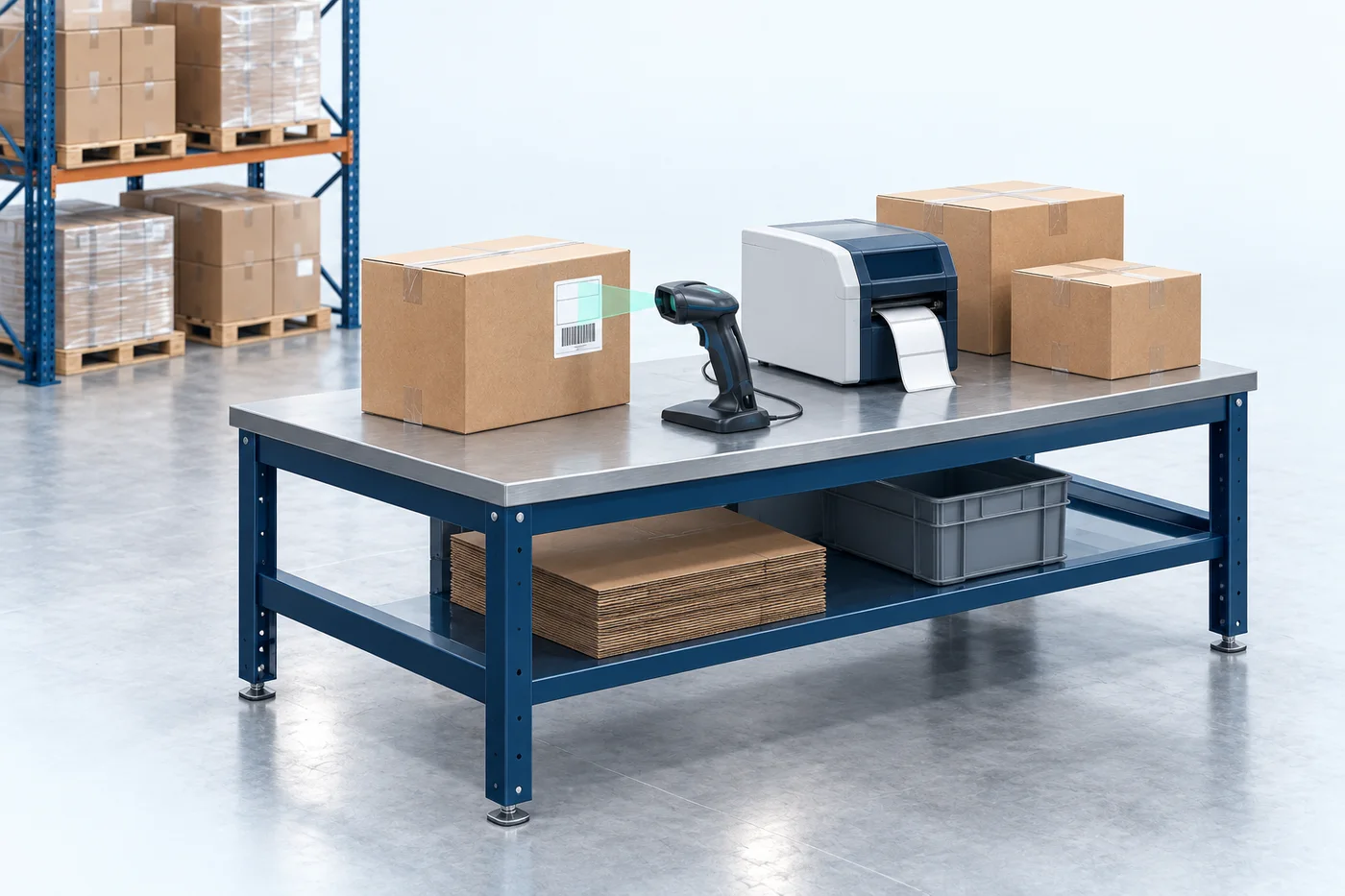
Identify. Validate. Confirm.
A guided scanning transaction
Read the item, batch or pallet identity.
Check the intended warehouse destination.
Apply workflow rules before posting.
A barcode warehouse management system connects a deliberate scan to an operational task. The label identifies a product, pallet, container or location; the application checks what the operator is trying to do with it. Scanning a pallet at receiving is a different transaction from confirming that same pallet at dispatch.
The design starts with your existing identifiers, location structure and system of record. Define which information belongs on the label, which information the application retrieves, and who can confirm each movement. That keeps scanning aligned with inventory ownership instead of creating a second, conflicting stock register.
Operators may type product, quantity or location information manually, increasing the chance of errors.
Material can be placed into the wrong location if destination locations are not verified.
Operators may select the wrong SKU, batch, pallet or quantity without scan-based validation.
System inventory and physical inventory can diverge when movements are not recorded immediately.
Different teams may generate inconsistent labels without centralized templates and data rules.
Warehouse scans often need to be converted into validated enterprise transactions.
Validate purchase order, ASN, material or inbound information before accepting the receipt.
Generate product, pallet, container or inward labels using approved barcode templates.
Scan source material and destination warehouse location before confirming placement.
Use handheld devices for stock verification, location audits and cycle counts.
Guide users to the required location and validate the correct material.
Confirm picked inventory before staging or packing; retain the link to the order.
Scan material against order or shipment requirements before dispatch.
Send validated warehouse transactions to the enterprise system and record its response.
Create standardized labels for products, pallets, inward material, bins and locations using agreed identifier and print rules.
Provide guided receiving, putaway, picking and dispatch tasks on suitable mobile hardware.
Require scans of material and destination before confirming placement, with a clear path for an unexpected location.
Record physical verification by location or task, then review differences before changing system stock.
Check the relevant item, batch, pallet, quantity or location against the assigned pick requirement.
Compare outgoing inventory with dispatch requirements and make mismatches visible to the operator.
Send label data to supported industrial printers after validating the selected model, language and template.
Exchange validated transactions and posting results with existing enterprise applications.
Barcode suits processes where an operator deliberately identifies a unit and can reach a readable label. Labels can be inexpensive, but the process still depends on label quality, scanner compatibility and a clear optical path. Scanning is useful when the operator should confirm the item and location as part of the task.
RFID may suit automatic identification, multiple-tag reading or unattended movement capture at selected points. Read-zone design and tag suitability still matter. A hybrid can retain barcode for documents and exception handling while using RFID at receiving or dispatch portals.
Reprinting a damaged label should preserve the identity of the physical unit unless the business process explicitly creates a new unit. Agree who may reprint, what happens to the old label and how the action is recorded. A label template should be tested on the actual printer, stock and scanner combination before rollout.
When connectivity is intermittent, define which tasks may be captured locally and which require a live stock or allocation check. Pending records need a visible status, replay protection and conflict handling when service returns. Do not show a completed ERP posting merely because the handheld accepted the scan.
Operators also need clear handling for unknown codes, unavailable locations, partial quantities and rejected postings. The useful outcome is a traceable correction path that preserves the original event and its reason, rather than an unexplained inventory adjustment.
Identify incoming material and finished goods while keeping warehouse handovers connected to production records.
Separate customer inventory and task context even when multiple operations share devices and storage areas.
Verify components, containers and batch information at stores, picking and dispatch points.
Connect identification to the site's approved batch and quality-status workflow; suitability requires process validation.
Validate mixed orders and staging movements using consistent product and location references.
It connects barcode identification to receiving, storage, counting, picking and dispatch tasks. Software interprets the scanned identifier, checks the task and records the resulting movement. The scope can be a mobile scanning layer connected to an existing WMS rather than a replacement for all warehouse planning functions.
Yes, where the system exposes suitable interfaces. The integration must agree item and location identifiers, transaction ownership and posting responses. Handling rejected or repeated requests is as important as sending a successful scan, especially when operators retry a task.
Suitable Android devices can host guided warehouse workflows. Select integrated scanners, paired scanners or cameras according to label type, scan frequency, lighting and handling conditions. Device compatibility and usability should be tested with the real labels before committing to the workflow.
Barcode label generation can be included in the solution scope. Templates define the identifier, human-readable information and printer layout. The chosen printer and consumables must be tested, and reprints should follow agreed controls so duplicate physical labels do not create ambiguous identities.
They can identify the same warehouse unit at different process points. Map both identifiers to the same record and define which event confirms each transaction. That allows deliberate barcode checks and selected automatic RFID reads without recording the same movement twice.
A location label encodes an identifier that maps to the warehouse's location master. The operator scans both the material and destination, and software checks whether the movement is allowed. Location naming, label placement and changes to the location master need consistent administration.
Some tasks can be designed for offline capture, but this is not automatic or appropriate for every transaction. Cached data may become stale. A design must specify permitted offline actions, pending-state visibility, reconnection replay and conflict review before promising uninterrupted operation.
Linear and two-dimensional codes may be suitable, depending on identifier length, data requirements and scanner support. Code 128, QR Code and Data Matrix are examples to evaluate. Agree the encoding and data structure with existing systems, and test print quality, label size and readability in the operating environment.
Discuss your workflow
Tell us how you currently receive, store, pick and dispatch material. We can help determine where barcode, RFID or a hybrid workflow fits your operation.